Home
Home

Key Takeaways
- Small attendance gaps can become payroll problems when corrected too late.
- Clear approval trails make attendance changes easier to verify.
- Overtime should be reviewed throughout the month, not only before payroll.
- Location-aware clock-ins improve visibility across offices, outlets, and project sites.
- Employee self-service can reduce routine attendance questions and speed up corrections.
Introduction
A missed clock-in, an unclear overtime entry, or a correction sitting in someone’s chat history can look harmless. The problem appears later, when HR needs reliable information. For Singapore SMEs with shift-based, mobile, or multi-site employees, that can mean extra checking, slower payroll preparation, and less confidence in what managers see across shifts, sites, and departments.
We often see the same pattern behind common attendance tracking issues: records are being captured, but the process is fragmented. One person checks a spreadsheet, another looks through messages, and a manager remembers a shift change that was never updated. Better attendance records give HR clearer visibility into gaps, approvals, and exceptions, reducing surprises as payroll approaches.
1. Missed Clock-Ins Are Not Corrected Promptly
Delayed correction of missed clock-ins is one of the attendance tracking issues we see most often. Employees can forget, especially when site staff start work away from an office terminal. If the gap remains, HR must confirm whether the employee was present, late, on leave, or assigned elsewhere.
When missed clock-ins are only corrected near payroll cut-off, HR may need to retrace WhatsApp messages, ask supervisors what happened, and wait for employees to confirm details. A time attendance system for Singapore SMEs can reduce follow-ups by keeping attendance and location details together. GPS or geofenced clock-ins can give managers location context without forcing employees to reach an office device before recording attendance.
2. Manual Edits Lack Clear Approval Trails
Attendance tracking issues become harder to resolve when manual corrections leave no clear trail. A clock-in may be changed for a valid reason, but HR still needs to know who requested it, who approved it, when the change was made, and why it was needed.
Without that visibility, a legitimate correction can look questionable weeks later. A changed entry can affect lateness, unpaid hours, shifts, or overtime calculations. We recommend keeping requests, approvals, timestamps, and reasons together. When your HR system keeps correction requests, reasons, timestamps, and approvals together, HR can review the edit trail without tracing separate conversations.
3. Overtime Records Are Checked Too Late
When extra hours are left until month-end, attendance tracking issues can surface just as payroll is being prepared. If managers only review extra hours when payroll is almost ready, unclear entries suddenly become urgent. HR then has to confirm whether the work was authorised, whether the hours match actual attendance, and how payment should be handled.
Earlier review protects efficiency and compliance. Singapore’s rules on working hours and overtime apply these limits to employees covered under Part 4 of the Employment Act. For those employees, overtime is capped at 72 hours a month; managers and executives are not covered by Part 4, and coverage also depends on employee category and salary. We recommend monitoring hours throughout the month, especially when workloads fluctuate by project or shift. Linking approved hours to payroll software used by Singapore businesses can reduce re-entry and last-minute reconciliation.
4. Multi-Location Attendance Becomes Difficult to Verify
For SMEs with people moving between outlets, client premises, offices, and project sites, a basic timestamp may not tell the full story. The problem becomes more noticeable when a manager sees a clock-in but cannot confirm the employee was at the assigned location.
Location context matters for real-time staffing decisions. If a supervisor believes three people are on one site when one has clocked in elsewhere, work allocation can be affected. Mobile clock-in with GPS or geofencing gives you a clearer view of where attendance was recorded. It also makes exceptions easier to investigate because useful context is already available.
5. Exceptions Are Not Reviewed Before Payroll Processing
Leaving unresolved items until the final stage creates some of the most preventable attendance tracking issues. Missed punches, late arrivals, early departures, unpaid absences, overtime changes, and manual corrections may each look manageable alone. When several remain unresolved before payroll processing, HR is forced into a compressed round of checking across employees and managers.
We advise SMEs to build a pre-payroll review rhythm. Give managers visibility into attendance exceptions before the deadline, set clear ownership for approvals, and let employees respond while the event is fresh. This reduces back-and-forth and makes payroll preparation more predictable. It also shifts attendance management from monthly clean-up to routine operational control.
How OpensoftHR’s AI-Powered HR Assistant Reduces Attendance-Related Queries
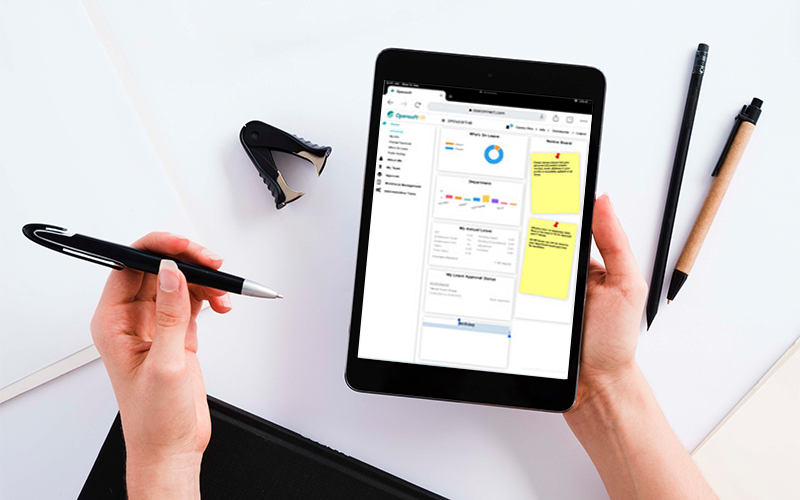
Many attendance problems become HR queries because employees cannot see what the system shows. They ask whether a correction was approved, whether leave was reflected, or whether a missing clock-in has been updated. AIME, OpensoftHR’s AI-powered Employee Self-Service assistant, gives employees a direct way to check their information and raise routine requests from their devices.
For employees rarely stationed in the office, self-service removes the need to wait for HR to answer a message. Employees can check status, review relevant records, and submit a correction closer to when the issue occurs. We see this as a practical way to reduce repetitive chasing before payroll while keeping responsibility shared between employees, managers, and HR.
For SMEs using spreadsheets, separate payroll tools, and scattered conversations, self-service reduces fragmentation. Employees can check attendance details or submit correction requests in the same system instead of starting a separate chat, while HR focuses on exceptions that genuinely need judgement.
A Clearer Way to Handle Attendance Before It Affects Payroll
If your team spends the final days before payroll checking messages, reconstructing shifts, and confirming corrections, tighten the process before adding more administration. With OpenSoftHR, we can help you keep attendance, payroll, leave, claims, and employee information connected, so exceptions are resolved earlier and payroll preparation involves fewer scattered checks.
Speak with our team to see how OpenSoftHR can simplify attendance management for your business.