Home


Key Takeaways
- Growing SMEs need clearer access rules as more people handle HR data.
- Permissions should match job responsibilities, not habits or shared logins.
- Sensitive records need tighter visibility without slowing HR work.
- Review access after role changes, transfers, resignations, and workflow updates.
Introduction
As your SME grows, more people handle HR. Managers, finance staff, supervisors, and employees may all become involved. That is when HR permission levels become important for controlling access to sensitive information. People need what their work requires without making salaries, identification details, claims, or personal records broadly visible. In Singapore, that supports responsible handling of personal data under the PDPA.
Access Rights Become More Complex as Teams Expand
Access is simpler when few people handle HR. As responsibilities spread, managers may approve leave, finance may prepare payroll, operations may check attendance, and employees may update selected details. HR permission levels help define who can view, edit, approve, or download information. Good HR access control gives each user enough access for a defined task while keeping unrelated records outside their view.
The challenge grows across offices, sites, vessels, workshops, or project locations. In construction, marine, and engineering firms, office HR may maintain records while site managers review attendance and finance handles pay. Using HR automation software can support these workflows without giving every user the same visibility, while keeping sensitive information within clearer boundaries.
Some HR Records Should Not Be Visible to Everyone
Not every HR record belongs in a manager’s view. Salary figures, bank details, identification information, claim values, appraisal notes, disciplinary matters, and personal contact details may be necessary for one function but irrelevant to another. Managing employee record access carefully helps separate useful visibility from unnecessary exposure. A manager may need leave and attendance information without needing payroll banking details or confidential HR notes.
We recommend thinking about access by task rather than seniority. Ask what someone needs to see, what actions they must take, and what should stay restricted. An employee self-service portal system can reduce manual requests by giving employees direct access to appropriate personal information. That reduces reliance on email attachments, messaging apps, or shared folders while sensitive material stays within a controlled process.
Permission Levels Reduce Accidental Data Exposure
Access problems often begin with ordinary shortcuts rather than bad intent. A spreadsheet goes to a wider group than planned. A former supervisor keeps old access. A shared login is reused because it feels faster. HR permission levels reduce these risks by making access part of the workflow. Singapore’s Cyber Security Agency provides practical guidance on how organisations can secure their access and environment when protecting business-critical information.
For firms employing foreign workers, this also applies to permit information, identification details, contact data, and other employment records. Permissions cannot replace sound policies or careful handling, but they can reduce unnecessary access. People who need a record should be able to access it without giving routine visibility to others through broad folders or forwarded files.
Managers, HR Staff, and Finance Teams May Need Different Access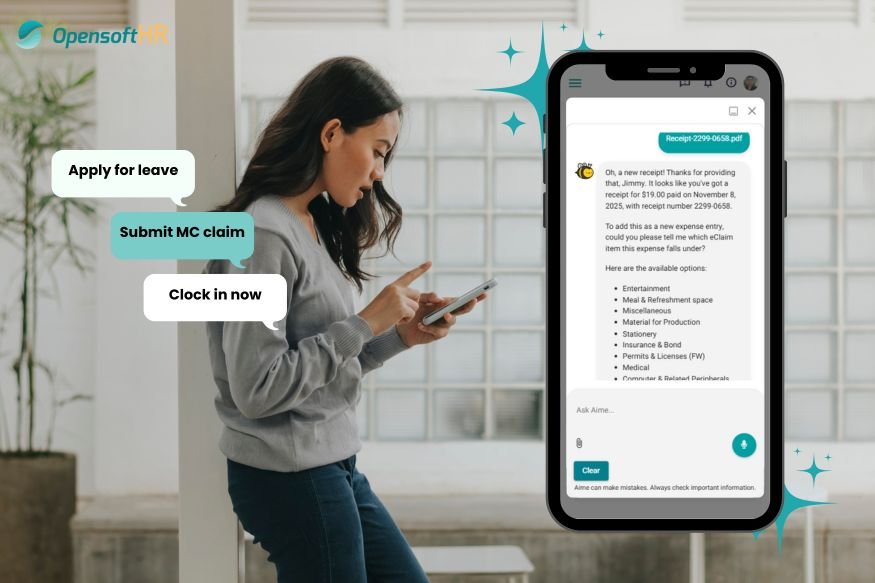
Different teams need different HR visibility. Managers may review attendance, leave, rosters, and selected team details. HR may need broader access to employee profiles, claims, settings, and workflows. Finance may need payroll information without seeing every HR note. HR permission levels help you define these boundaries around actual responsibilities. With role-based permissions, you can create a consistent structure instead of deciding access informally each time someone asks for a file or approval.
A practical framework is to separate view, edit, approve, export, and administrative rights, then match them to each role through role-based permissions:
- Managers might view team attendance and approve leave or claims.
- Finance might access payroll inputs and export payroll reports.
- Employees might view or update only their own permitted records and submit requests.
- HR administrators might maintain employee records, workflows, and system settings.
SMEs also need flexibility when responsibilities overlap. One person may handle HR administration and payroll today, then hand payroll to finance as the company expands. A payroll management system should support that change without exposing unrelated records. Documenting why each role needs access gives you a clearer basis for reviews when duties change.
Regular Permission Reviews Support Safer HR Operations
Access should change when your organisation changes. Promotions, transfers, temporary cover, resignations, and reorganisations can make yesterday’s settings unsuitable today. We treat HR permission levels as something to review regularly, not configure once and forget. A practical review checks active users, current responsibilities, elevated privileges, inactive accounts, and access without a clear business purpose. The review can stay straightforward, but responsibility should be clearly assigned.
Review permissions when you digitise a process too. If leave, claims, attendance, payroll, or employee records move online, ask who needs to view each stage and who only needs to submit or approve. This keeps access aligned with work and prevents old permissions from accumulating as your company adds teams, managers, or locations.
How OpensoftHR’s AI-powered HR Assistant Supports Role-Based Access
Permission structures work better when employees do not need broad system visibility for routine questions. AIME, OpensoftHR’s AI-powered Employee Self-Service assistant, lets employees check their own leave balances, claim status, attendance records, and payslip queries directly.
This keeps employee-facing access focused on personal information and permitted self-service tasks rather than wider employee records. HR teams can handle broader administrative processes separately, so employees do not need HR-level visibility for routine tasks. For staff away from the office, AIME provides access on their own devices without forwarded files or shared folders.
Keep HR Access Clear as the Business Grows
As you add people and digital workflows, make access design part of your HR operating model. Map who needs to view, change, approve, or retrieve each type of information, then revisit those decisions as responsibilities shift.
OpensoftHR can help organise employee records, leave, claims, attendance, approvals, and payroll-related workflows clearly. If shared files, broad logins, or informal access still shape your process, set cleaner boundaries before further growth makes them harder to manage.
Speak to our team to explore how OpensoftHR can support clearer HR access and more organised workflows as your business grows.